Canva: Create Stunning Designs with AI
Create posts, videos, and presentations with AI in Canva. Turn your ideas into professional designs quickly and easily, drawing on the platform's many tools and templates. Perfect for personal or professional use.
Visit Canva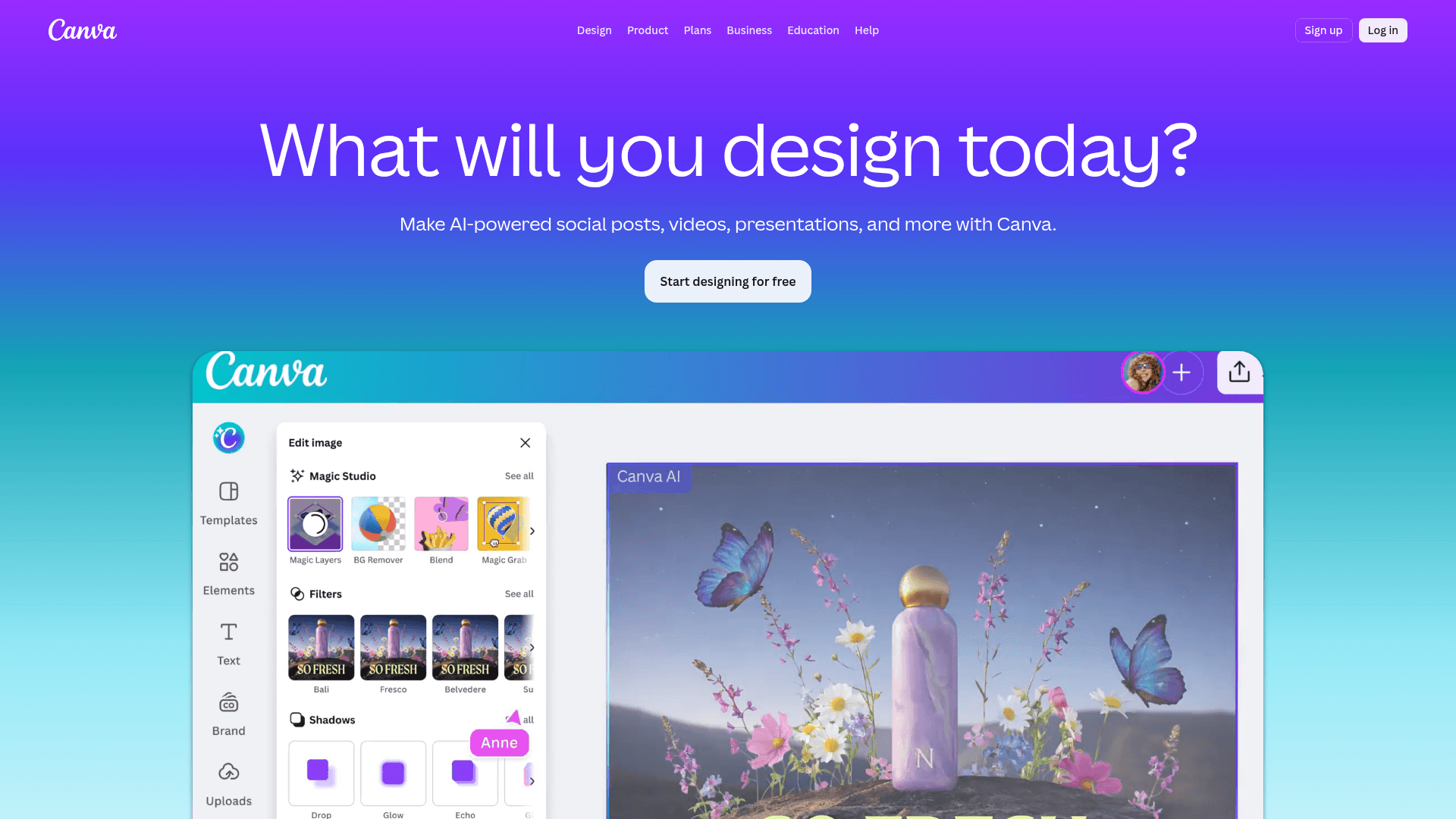
Canva: Graphic Design and AI for Everyone
Canva is an online graphic design platform that empowers users to create an impressive variety of visual materials, from social media posts and videos to presentations and documents. With AI built in, Canva makes turning ideas into professional designs fast and intuitive. For personal use, students, marketers, or large companies, the tool offers a vast library of templates, graphic elements, and editing features to cover nearly every visual communication need. Its friendly interface keeps it accessible to beginners while staying powerful for experienced designers.
Canva's Key Features
AI Modules for Fast Creation
Simplified Image and Video Editing
Massive Template and Element Library
Branding and Productivity Tools
Social Media Content Creation
Data Visualization and Interactive Presentations
Canva Use Cases and Target Audience
Digital Marketing and Social Media
Create eye-catching posts, banners, stories, and ads across platforms, with optimized templates and scheduling built in.
Professional and Academic Presentations
Develop dynamic, engaging slides using ready-made templates and AI features that turn ideas into impactful presentations.
Offline Marketing Material
Design flyers, business cards, posters, and other print materials, with printing available straight from the platform.
Visual Content for Blogs and Websites
Produce headers, infographics, article images, and other visuals that enrich online content.
Público-alvo: Small Business Owners and Startups, Marketing Professionals and Agencies, Educators and Students, Content Creators and Digital Influencers
Prós e Contras
Prós
- Intuitive, beginner-friendly interface.
- Huge template and element library that saves serious time.
- AI features that simplify and speed up design work.
- Real-time collaboration that keeps teams in sync.
- Design options for a wide range of formats and purposes.
- Affordable plans, including a genuinely useful free tier.
Contras
- Some advanced features are locked behind paid plans.
- Every feature depends on an internet connection.
- It takes practice to squeeze the most out of the AI tools.
- Can feel restrictive for designers who want pixel-level control.
Canva Plans and Pricing
Prices vary by region and current promotions. Check the official Canva site for the latest information.
Melhores Alternativas
- Adobe Express: Adobe's online graphic design tool, focused on fast creation of social media content and other formats, integrated with the Adobe ecosystem.
- Figma: A collaborative UI and UX design platform, ideal for prototyping and digital product design, though it also handles more advanced graphic design.
- Crello (VistaCreate): Similar to Canva, offering a wide range of templates and editing tools for graphics, short videos, and animations, with an emphasis on ease of use.
Canva: Unlock Your Creative Potential with AI
Canva has become an indispensable tool for anyone who needs professional designs without mastering complex software. As AI features keep deepening, the platform gets even more powerful — accelerating workflows and opening new creative possibilities. Its intuitive interface plus an enormous template and element library make Canva the go-to choice for individuals and businesses that want to stand out visually.
- Best for Small businesses, marketers, content creators, and anyone who needs high-quality visual design quickly and efficiently.
- Highlight AI combined with a friendly interface lets anyone build complex designs with ease, democratizing professional design.
- Consider alternatives if You are a professional graphic designer who needs granular control over every aspect of a design, or you rely on very specific image and video editing capabilities.
Produtos Relacionados
Perguntas Frequentes
Última atualização: 1 de março de 2026